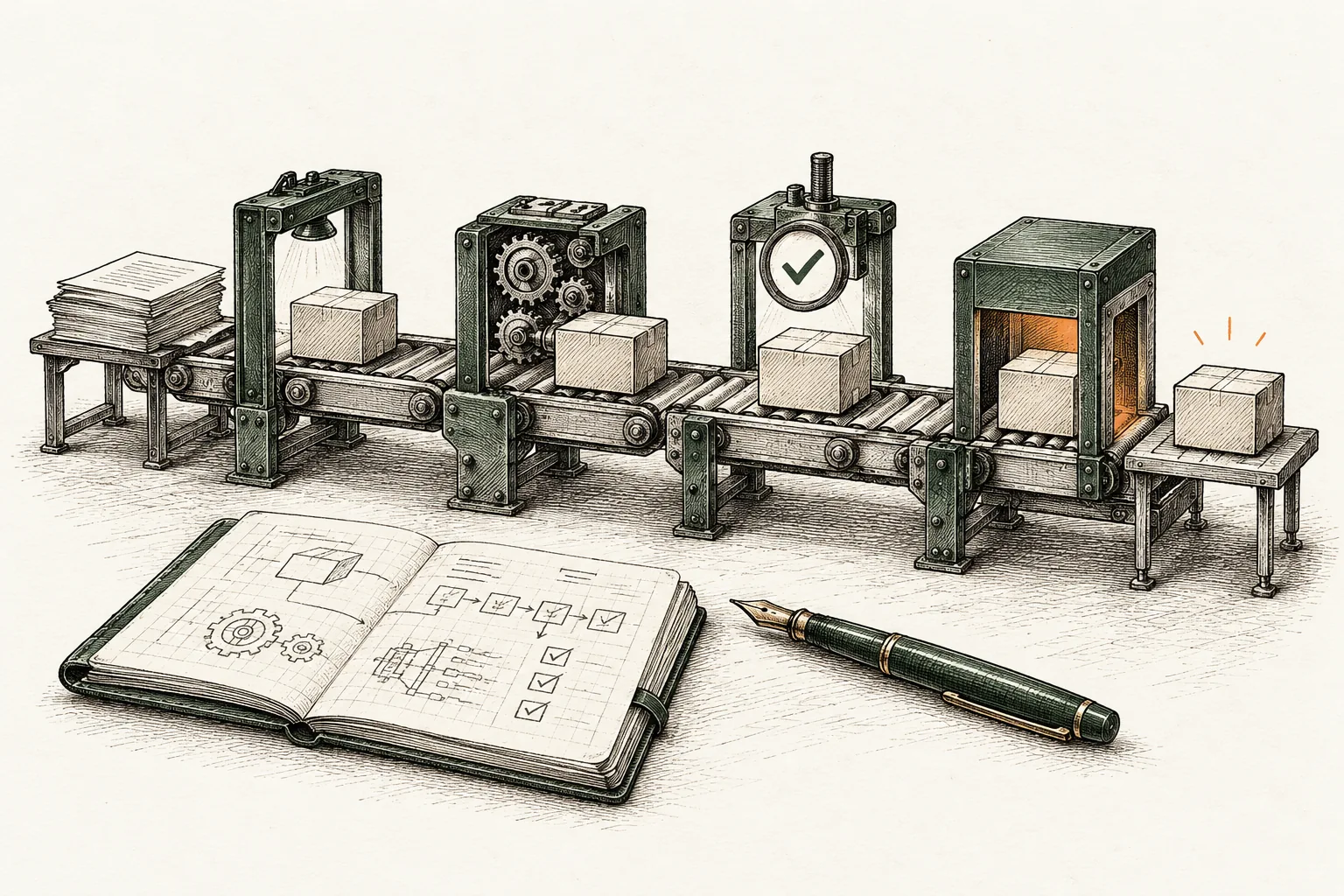
A CI/CD pipeline is an automated workflow that takes a code change from commit to a running release. It builds the code, tests it and, depending on how you set it up, ships it. GitLab describes it as an automated workflow that guides software from source code through building, testing and releasing. The point is not the automation itself. The point is learning within minutes, not weeks, that a change is broken.
This guide covers what the stages are, where continuous delivery and continuous deployment differ, how to design a first pipeline, which practices matter most, and the security risk most teams underestimate.
Key takeaways
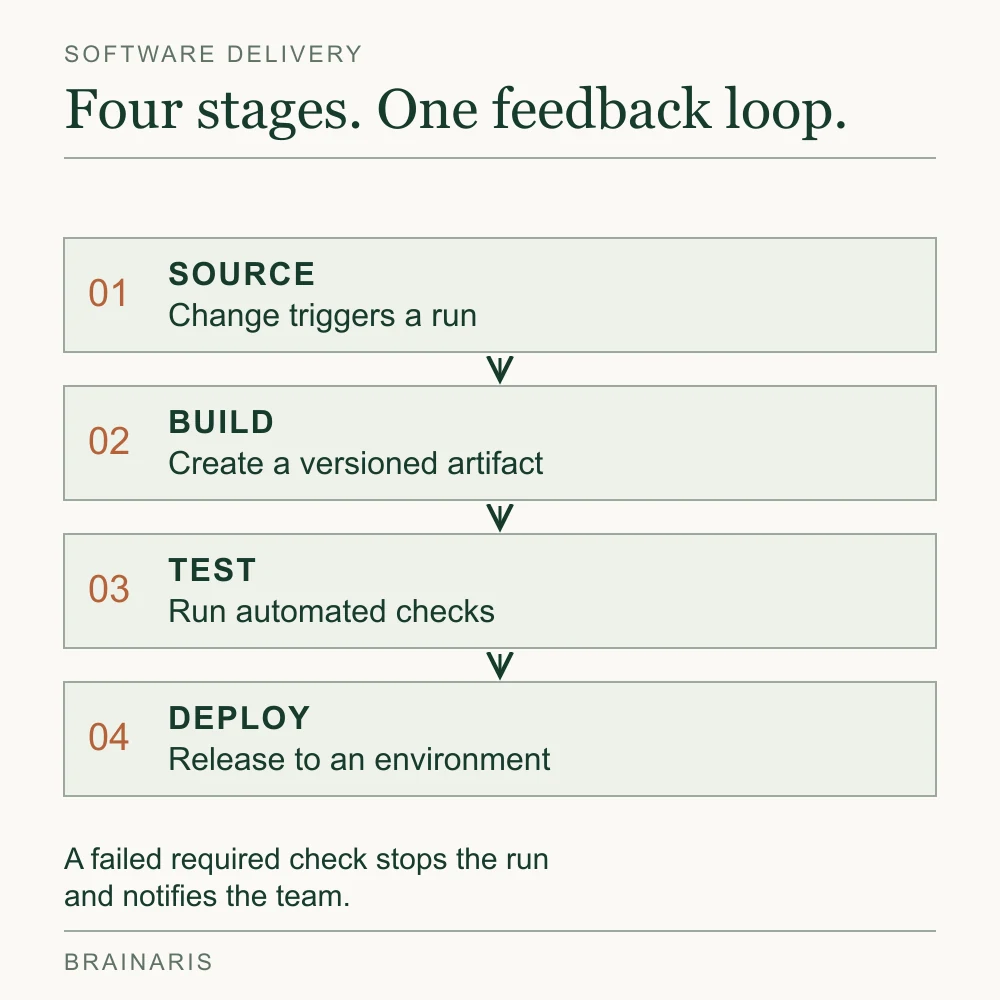
- A pipeline typically has four stages: source, build, test and deploy. A failed required check blocks progression and notifies the team; informational checks can have a separate policy.
- CI means merging often with automated build and test. CD means either continuous delivery (a human approves the release) or continuous deployment (no human gate).
- The real goal is a short feedback loop, so developers fix problems right after the commit, when they are cheapest to fix.
- Treat pipeline configuration as sensitive code: peer review, branch protection and tight secrets handling.
- Pick tooling by where your code lives and how much infrastructure you want to run, not by feature checklists.
What a CI/CD pipeline actually is
CI/CD is not a product you buy. As GitHub’s own explainer frames it, it is a practice built on automation that reduces manual intervention across the delivery process. Tools implement it, but the habit is what changes outcomes.
Two ideas sit inside the name:
- Continuous integration (CI) is the practice of merging code into a shared repository frequently, with an automated build and test run on every merge. GitLab’s overview uses this definition.
- Continuous delivery or deployment (CD) is everything after that: getting the verified build in front of users.
A pipeline is the concrete chain of automated steps that connects the two. It is usually defined in a configuration file that lives in the same repository as the code, so it is versioned, reviewable and reproducible.
It is also a core piece of DevOps. If your team asks whether DevOps uses CI/CD, the answer is yes: it is one of the practices that make a DevOps way of working real rather than aspirational.
The stages of a CI/CD pipeline
The research we reviewed describes four foundational stages: source, build, test and deploy. Real pipelines add steps, but these four are the skeleton.
1. Source
The pipeline starts when something changes: a commit, a pull request, a merged branch, a tag or a schedule. This trigger is where discipline begins. Small, frequent changes produce pipelines that are fast and easy to debug. A branch that lives for three weeks produces a merge that nobody trusts.
2. Build
The build stage compiles code, resolves dependencies and produces an artifact: a binary, a package, a container image or a static bundle. Two rules matter here:
- Build once. The artifact that passes tests should be the exact artifact that gets deployed, not a rebuild from the same commit.
- Version and store the artifact so any release can be traced back to a commit.
3. Test
Automated validation is what earns the pipeline its keep. AWS’s CI/CD guidance includes unit tests, code builds, resource provisioning and integration tests among common pipeline activities. For the test jobs themselves, a sensible ordering runs the cheapest, fastest checks first:
- Linting and static analysis (seconds)
- Unit tests (seconds to a few minutes)
- Integration tests against real dependencies or realistic stand-ins (minutes)
- End-to-end or smoke tests against a deployed environment (minutes, kept deliberately few)
Failing early saves compute and, more importantly, saves the developer’s attention.
Decide which checks block progression. For example, GitLab supports nonblocking job failures; that is useful for informational checks, but a release gate must not silently inherit that policy.
4. Deploy
The deploy stage releases the artifact to an environment: staging, a canary slice of production, or all of production. Here the CD choice shows up, and it deserves its own section.
Continuous integration and delivery: where the D splits
People use “CD” for two different things, and the confusion causes real arguments in planning meetings. The distinction, as GitLab explains, comes down to whether a human gatekeeper approves the release. AWS’s prescriptive guidance makes the same point: the D can mean delivery or deployment.
| Continuous integration | Continuous delivery | Continuous deployment | |
|---|---|---|---|
| What is automated | Build and test on every merge | Everything up to a release-ready artifact | Everything, through to production |
| Human approval before production | Not applicable | Yes, a manual release decision | No |
| Main requirement | Fast, reliable tests | Reliable deploy automation and a clear approver | High confidence in tests, monitoring and rollback |
| Typical fit | Every team | Regulated products, scheduled releases, mobile apps | Web services with strong test coverage and observability |
Neither is more mature by default. Continuous delivery is a perfectly good destination for a team that needs a compliance sign-off or a coordinated launch. Continuous deployment is a good destination only when your tests and monitoring are strong enough that removing the human does not remove your safety net.
A worked example: a small web app
Here is what a first pipeline might look like for a typical web application with a database and a container-based deployment. The names are generic on purpose, because the shape matters more than the syntax.
- Trigger: a pull request is opened against the main branch.
- Lint and unit tests: run in parallel, target under three minutes. If they fail, the pull request cannot merge.
- Build: a container image is built and tagged with the commit identifier.
- Integration tests: the image starts alongside a disposable database and the API test suite runs against it.
- Merge to main: build and test a release candidate from the resulting main commit. Publish the passing image to the artifact registry and record its immutable digest alongside that commit. The earlier pull-request build provides feedback; it is not automatically the production artifact.
- Deploy to staging: automatic. A short smoke test checks the health endpoint and one critical user path.
- Production: for continuous delivery, a named person clicks approve. For continuous deployment, a canary receives a small share of traffic, error rates are watched, and the rollout continues or reverts on its own.
The important handoff is from a passing check to permission to deploy. In this illustrative container workflow, keep four boundaries visible:
| Gate | What must be established | Access allowed |
|---|---|---|
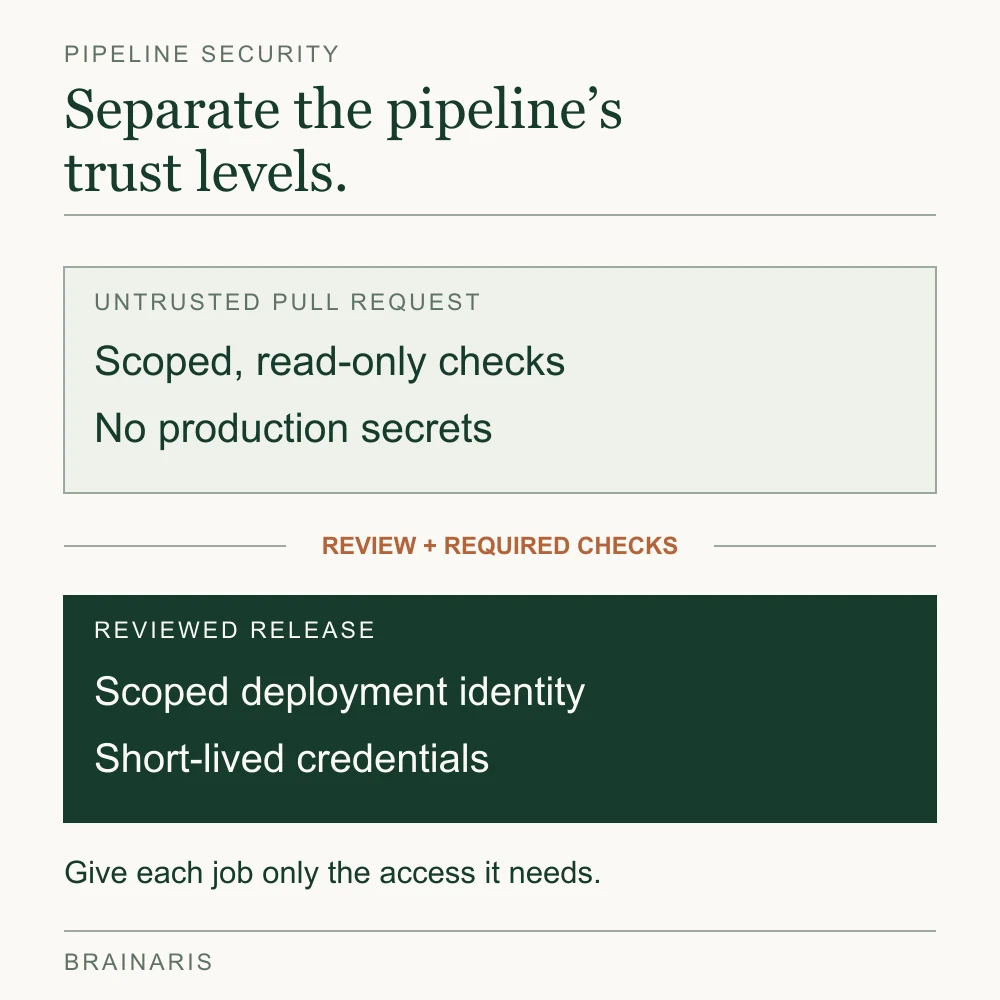
| Pull request | The proposed change passes required feedback checks. Record the tested commit; it may differ from the eventual main commit. | Isolated test resources. No production credentials or release-publishing identity. |
| Merged main | The integrated code produces a passing release candidate. Record its commit and image digest. | Only the publishing job gets the registry permissions it needs. |
| Staging | Deploy that digest and verify health plus a critical user path. | A staging deployment identity, with no production access. |
| Production | Promote the same validated digest after the release policy passes. Record the previous release digest. | A production deployment identity restricted to the trusted deployment job. |
A digest identifies the image’s contents; a tag can be moved. If the candidate changes after staging, validate the replacement before promoting it. Environment configuration still needs checking. This separation follows GitHub’s guidance on least privilege and untrusted workflow code. A green pull request should not carry production credentials into the release path.
Notice the pattern: each step answers one question, and the answer arrives as early and as cheaply as possible. If your pipeline takes forty minutes to tell you a typo broke the build, the ordering is wrong, not the idea.
CI/CD best practices that pay off
Most advice lists a dozen items. These are the ones that change outcomes.
Keep the feedback loop short
The stated goal of the practice, per GitHub’s article on pipelines, is shortening feedback so developers can fix issues immediately after a commit rather than weeks later. Measure the time from push to a red or green result. Set a budget for it, and treat a creeping pipeline duration as a bug. Parallelize independent jobs, cache dependencies, and move slow tests out of the critical path.
Commit small and merge often
CI only works if integration is actually continuous. Short-lived branches, feature flags for unfinished work and small pull requests keep merges boring. Boring merges are the goal.
Make the main branch always releasable
When a build breaks on main, fixing it becomes the team’s first priority. A pipeline that is red for days teaches everyone to ignore it, and then it protects nothing.
Build once, promote the same artifact
Rebuilding for each environment means production runs something that was never tested. Promote the identical artifact through staging to production, and inject environment differences through configuration.
Fight flaky tests immediately
A test that fails randomly destroys trust faster than any other pipeline problem. Quarantine it, assign an owner and fix or delete it. Never let the habit of “just rerun it” become normal.
Define the pipeline as code
Keep pipeline configuration in the repository. You get history, review and the ability to recreate the setup anywhere. This also sets up the next point, which matters more than most teams realize.
Plan for rollback before you need it
Every deployment path should have a rehearsed way back: redeploy the previous artifact, flip a feature flag, or shift traffic. If rollback is untested, continuous deployment is a gamble.
Rolling back an image does not reverse a database migration or restore changed data. AWS’s schema-change guidance explains why the earlier application must remain compatible with the database. Agree on separate data-recovery steps before release.
Watch what happens after deploy
A green pipeline says the code passed your checks, not that users are fine. Tie deployments to dashboards and alerts, and mark each release on your graphs so regressions are easy to attribute.
Securing the pipeline itself
This is the part many guides skip. A pipeline is a high-privilege environment: it holds production credentials, pulls in third-party dependencies and executes code. OWASP’s DevSecOps guideline goes as far as noting that it can be a more critical asset than the source code it builds.
The OWASP CI/CD Security Cheat Sheet calls out the misconception of treating the pipeline as internal and therefore trusted. It points teams toward secrets management, strict identity and access management, and the same level of code review for pipeline configuration as for application code.
Poisoned pipeline execution
One named risk is poisoned pipeline execution: an attacker who can change code in source control, without any access to the build environment, manipulates the build process by injecting malicious commands. Because the pipeline file is just a file in the repository, a pull request that edits it can change what runs.
Practical responses:
- Require peer review and branch protection for pipeline configuration files, exactly as for application code.
- Be careful with pipelines that run on changes from forks or untrusted contributors, and keep secrets unavailable to those runs.
- Do not share execution nodes between pipelines of different sensitivity, such as development and production.
Over-broad access
OWASP also lists insufficient pipeline-based access controls as a risk: pipeline execution nodes can reach many resources inside and outside the environment, so malicious code running there can reach far. Give each job the narrowest credentials it needs, prefer short-lived credentials over long-lived keys, and keep secrets out of logs and repositories.
If your workflows run on a popular hosted platform, the OWASP guidance for GitHub Actions is a useful checklist for preventing attacker-controlled code execution and secret exfiltration. If a pipeline handles credentials for a regulated or customer-facing system, ask your security lead to review it before it ships anything.
How to choose CI/CD tooling
We name no vendors here, because the right choice depends on your situation. The categories are what matter.
| Type of tooling | Strength | Trade-off |
|---|---|---|
| Hosted pipelines built into your code host | Least setup, large library of reusable components, generous free tiers | Ties you closer to one ecosystem |
| All-in-one platforms covering repository, pipeline and deployment | One system to learn and audit, self-hosting options | Heavier to adopt if you only need a pipeline |
| Self-managed automation servers | Maximum flexibility, on-premises control | Significant engineering overhead to run and secure |
| Dedicated hosted CI services | Fast runners, strong caching and parallelism | Another vendor and bill to manage |
Start by checking the hosted option closest to your existing repository. Then compare its runner limits, permissions and cost against your actual workload. A familiar integration can reduce setup work, but it does not settle requirements for self-hosting or operational ownership. For that decision, use the cost and responsibility questions in our build vs buy guide.
Questions that settle the decision faster than feature tables:
- Where does your code live today?
- Do compliance or data rules require self-hosting?
- Who will maintain the system: a platform team, or whoever has time?
- How long can your builds run before developers stop waiting for them?
- What does it cost at your build volume, not at the free tier?
A pipeline you understand and maintain beats a sophisticated one nobody owns.
Common mistakes when starting out
- Automating a broken process. If releases are painful because of unclear ownership, a pipeline will make the confusion faster, not smaller.
- Starting with end-to-end tests only. They are slow and brittle. Build the base of the pyramid first.
- Ignoring the pipeline’s own health. Track duration, failure rate and flakiness like any production system.
- Skipping environment parity. If staging differs from production in meaningful ways, passing there proves little.
- Letting one person own it. Pipeline knowledge held by a single engineer is an outage waiting for a vacation.
A sound first milestone is modest: every pull request runs build and tests automatically, and merging to main produces a versioned artifact. Add deployment automation once that is stable.
Our perspective
We publish for people who make product and technology decisions, and the pattern we expect to see over and over is that CI/CD is treated as a tooling question when it is really a team-habit question. A pipeline does not make a team ship faster. It makes the cost of each small change low enough that the team is willing to make small changes. That shift is where the benefit comes from.
Three opinions we hold, and will apply to what we publish:
- Start with the feedback loop, not the tool. Decide how quickly you want to know a change is broken, then pick what delivers that.
- Treat the pipeline as part of the product. It deserves an owner, review, monitoring and a security posture, because it can reach production.
- Choose the least ambitious CD model you can defend. Continuous delivery with a clear approver is a strength, not a halfway house, when your context calls for it.
We would rather give you a decision you can act on this week than a survey of every option. That is the editorial standard we are building Brainaris around.
Keep reading with Brainaris
Brainaris publishes practical guides on design, software development, AI and business growth. Browse the latest articles or read our editorial policy for how we approach sources, corrections and product decisions.
FAQ
What are the stages of a CI/CD pipeline?
Most pipelines have four: source (a code change triggers the run), build (compile and create an artifact), test (automated validation) and deploy (release to an environment). Many teams add static analysis, security scanning and post-deploy checks. A failed required check blocks progression and notifies the team. Informational checks may be allowed to fail under a separate, explicit policy.
What is the difference between continuous delivery and continuous deployment?
Both automate the path to production. With continuous delivery, a person approves the final release. With continuous deployment, a passing change goes live automatically. The difference is the human gatekeeper.
Which tool is best for a CI/CD pipeline?
There is no single best one. A hosted pipeline built into your code host suits most teams, an all-in-one platform suits those who want one system or self-hosting, and a self-managed server suits teams needing maximum control and willing to run it. Choose by where your code lives, compliance needs and who will maintain it.
Does DevOps use CI/CD?
Yes. CI/CD is a backbone practice of DevOps, though it is a culture of automation rather than a single product. It supports DevOps goals by shortening the loop between writing code and learning how it behaves.
Is a pipeline a security risk?
It can be. Pipelines hold credentials and run code, so OWASP advises treating pipeline configuration like application code, with review, branch protection and least-privilege access. Have your security team review any pipeline that touches production secrets.
Sources
- What is a CI/CD pipeline? (GitLab)
- What is CI/CD? (GitLab)
- Understanding CI/CD (AWS Prescriptive Guidance)
- Pipeline resources (GitHub)
- CI/CD Security Cheat Sheet (OWASP)
- Security in CI/CD training (OWASP DevSecOps Guideline)
- CICD-SEC-04 Poisoned Pipeline Execution (OWASP)
- CICD-SEC-5 Insufficient PBAC (OWASP)
- GitHub Actions Security Cheat Sheet (OWASP)
- Secure use of GitHub Actions (GitHub Docs)
- Managing a merge queue: testing the integrated change (GitHub Docs)