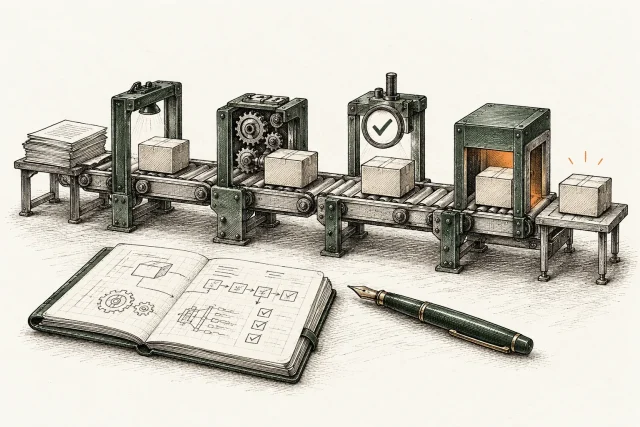
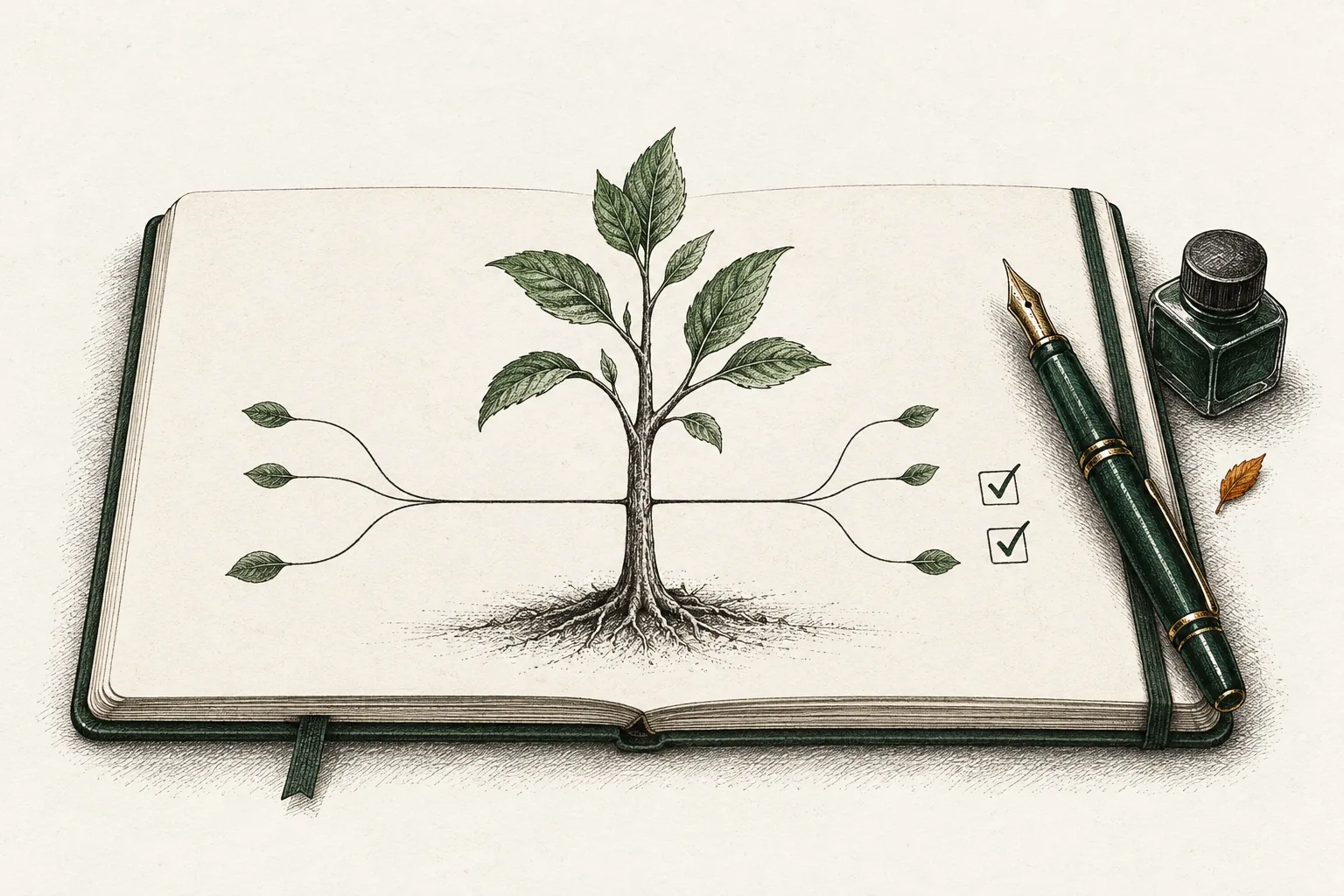
Trunk-based development is a branching model in which every developer merges small changes into one shared branch, usually called trunk, main or mainline, at least once a day. Branches either do not exist or live for hours, not weeks. Unfinished behavior stays inaccessible to users, with feature flags where needed, and the trunk stays releasable at all times.
That is the whole idea. The hard part is the discipline around it: small batches, fast automated tests and a team that treats a broken build as the first priority. This guide covers how the model works, how it compares with Gitflow and long-lived feature branches, where it does not fit, and how to move a team toward it without a risky big-bang change.
Key takeaways
- Trunk-based development means merging small changes into a single shared branch at least daily, so integration happens continuously and not in a painful merge at the end.
- It depends on automated checks that protect each change and safe handling of unfinished work. Feature flags help when incomplete behavior must be deployed without being released.
- Gitflow isolates work with long-lived branches. Trunk-based development isolates it with engineering practices. Release calendars and audit trails can be supported by either model; compare the actual stabilization and maintenance work.
- Short-lived branches and pull requests are compatible with the model, as long as they are measured in hours or a couple of days, not weeks.
- Adopt it gradually: shrink changes while strengthening the checks that protect main, then introduce flags where unfinished behavior needs them.
What trunk-based development actually is
The research program behind the DORA reports describes two main ways for developers to work together in version control. In the first, people create feature branches and work in isolation until the feature is done. In the second, each developer divides their work into small batches and merges into trunk at least once a day. DORA notes that feature branches typically involve several developers and take days or even weeks, while branches in trunk-based development typically last no more than a few hours.
Three properties define the model in practice:
- One shared line of development. Everyone integrates into the same branch. There is no permanent develop branch sitting between your work and production.
- Small, frequent merges. The unit of work is a change you can finish and merge today, not a feature that takes a sprint.
- A trunk that is always releasable. If it is not, repairing it outranks any new work.
The model is often described as a way of working with source control. It is more useful to see it as a consequence of taking continuous integration seriously. The Standard for Public Code puts the logic plainly: the more frequent the merging and the smaller the contribution, the easier integration becomes. Trunk-based development is what you get when you push that principle to its conclusion.
Committing straight to trunk vs. short-lived branches
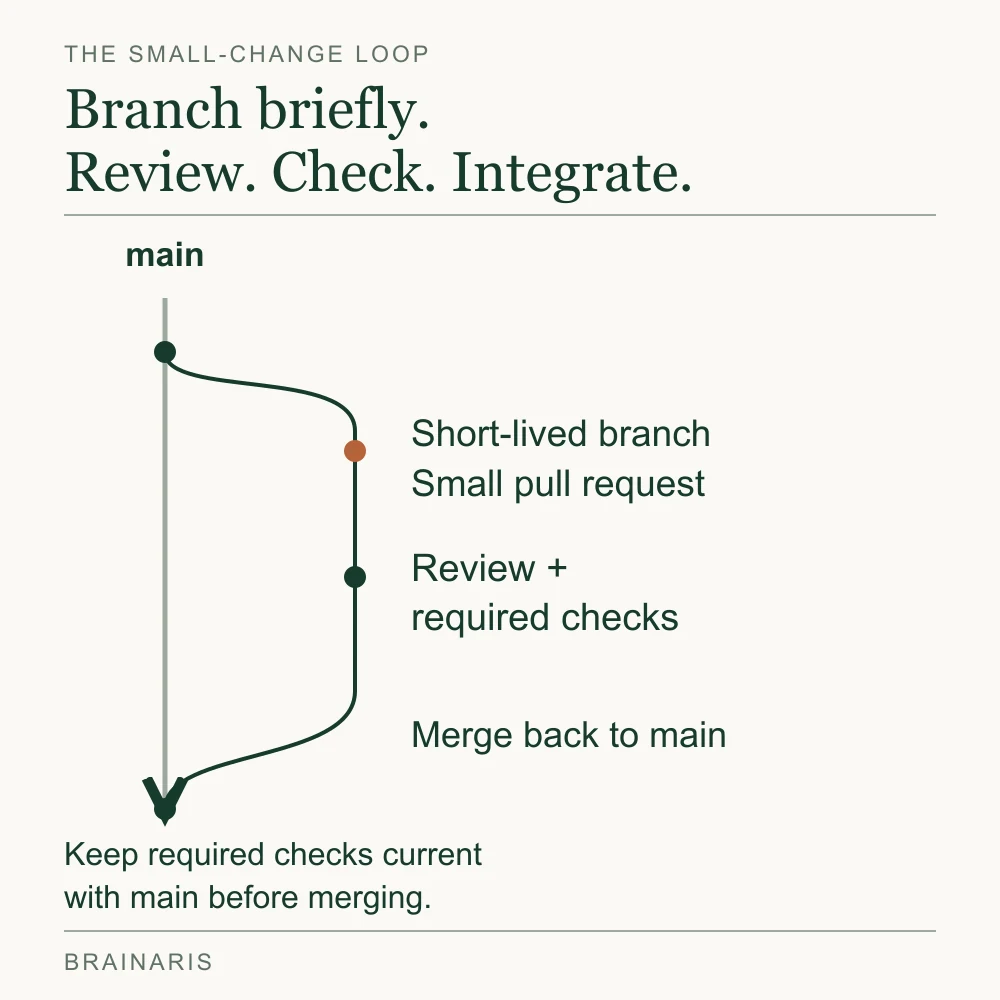
People new to the topic often assume the model means everyone pushes directly to main with no review. That is one variant, and it works for small, high-trust teams. The other variant uses short-lived feature branches that come back as pull requests.
The canonical reference site on the subject says the second variant has become the norm as code review tooling matured. It states that direct-to-trunk used to suit teams up to around 100 people before lightweight branching in Git, and that the practical cut-off is now around 15 people: beyond that, short-lived branches verified by automated builds before they land are more productive. Treat those figures as one authority’s rule of thumb, not a law. Your review culture and test speed matter more than headcount.
The same page gives the rules that make short-lived branches safe:
- Keep the life of the branch short. A couple of days is the ceiling, and beyond two days you risk drifting into a long-lived branch.
- Keep the developer count at one, or two when pair programming. These branches are not shared workspaces. They may be shared for code review.
- Merge to trunk only to close the branch, then delete it.
If you search for advice on short lived branches, this is the answer: a branch is fine, and a branch that outlives a work week is the problem. A useful team agreement is an age alarm. Any branch older than two days gets raised at standup, and the question is how to split the remaining work, not who is slow.
Trunk-based development vs. Gitflow
The comparison with Gitflow comes up more than any other, and it is easy to get wrong by framing it as modern against outdated. The real difference is the mechanism used to isolate unfinished work. According to a comparison of the two models, Gitflow uses version control, with feature, develop and release branches that can last days or weeks. Trunk-based development uses engineering practices such as feature flags to isolate unfinished work, keeping the trunk in a releasable state.
| Question | Gitflow | Trunk-based development |
|---|---|---|
| Where does unfinished work live? | In long-lived feature and develop branches | In trunk, hidden behind flags or kept dark |
| How long do branches live? | Days to weeks | Hours, or at most a couple of days |
| What does a release look like? | A release branch cut from develop, then stabilized | A tag or deploy of trunk, or a short release branch cut from it |
| Where do merge conflicts surface? | Late, when a big branch finally lands | Early, in small pieces |
| What does it demand from the team? | Branch hygiene and release coordination | Fast checks, safe handling of unfinished work and a shared habit of keeping main green |
The Mergify comparison describes Gitflow as a model for software shipped on a release calendar, including mobile apps and products with formal release controls. Those constraints deserve attention, but they do not automatically require Gitflow. Trunk-based development also supports release branches, allowing daily integration to remain separate from stabilization and maintenance of a released version.
Our reading: if you deploy a web product several times a week and still maintain a develop branch, you are paying Gitflow’s coordination cost without getting its benefit. If you ship a mobile app on a fixed cadence, you can still apply trunk-based habits to daily work and use a short release branch only at the stabilization step.
What the model asks of your team
Dropping branches without changing anything else will hurt. Trunk-based development moves the safety net from branch isolation to automated checks and safe handling of unfinished work. Three supports matter most.
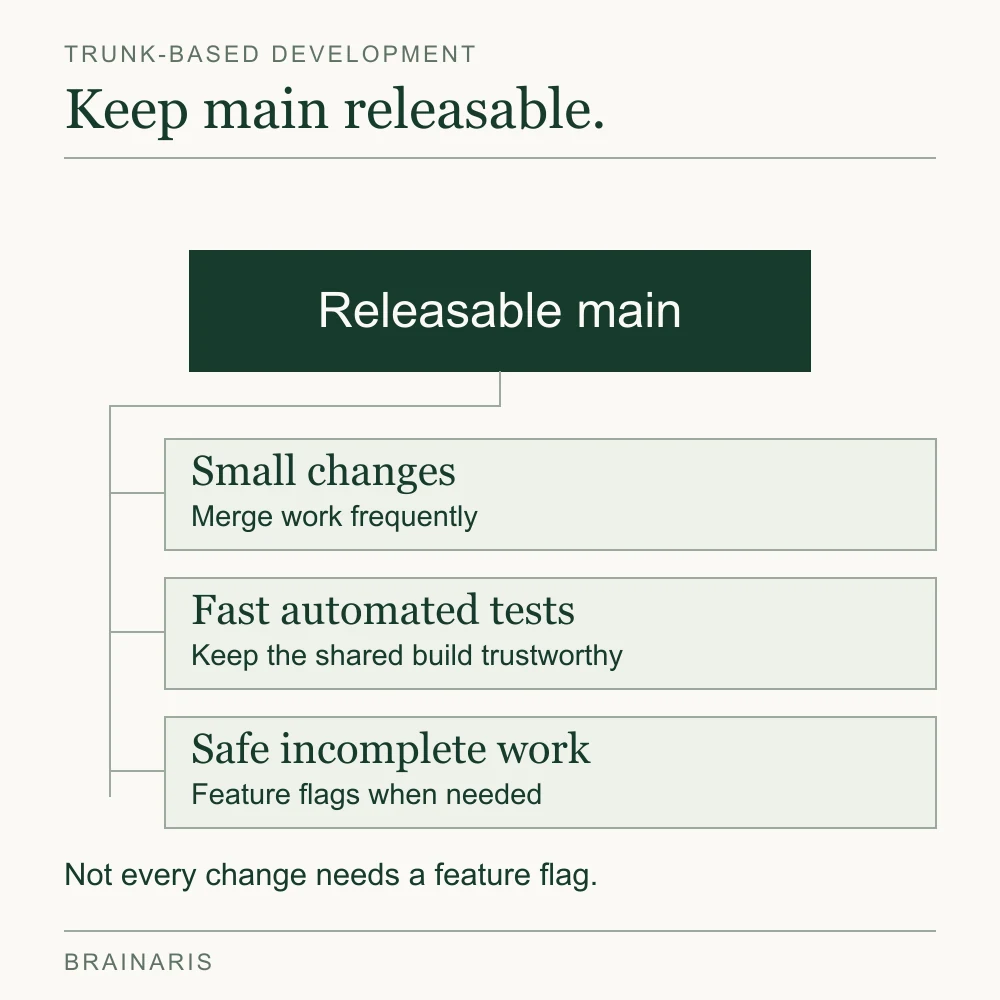
Continuous integration that people trust
One source on tooling calls the two ideas inseparable: continuous integration combines merging to a shared trunk with a suite of automated tests that run after every commit, with the goal of keeping the system working at all times. If your suite takes 45 minutes or fails randomly, people will batch up their changes to avoid waiting, and you will drift straight back to big merges.
The continuous integration practices that matter most here are concrete:
- Run a fast check on every change before it reaches trunk, and keep that check under about ten minutes where you can.
- Treat flaky tests as bugs. Quarantine them quickly or fix them, because a suite people ignore is worse than none.
- Make a red trunk everyone’s problem. The person whose change broke it reverts or fixes within minutes.
- Keep builds reproducible and validate the integrated change against current main. A green run on an older branch does not prove the merged result will pass.
DORA frames the same expectation: in the CI paradigm, developers are responsible for keeping the build green.
Feature flags for unfinished work
If a feature takes two weeks, you cannot wait two weeks to merge. You merge the pieces daily and keep the new behavior switched off in production until it is ready. A flag also decouples deploying code from releasing it, so product and engineering can choose the release moment separately.
Flags carry their own cost. Each one is a branch in your logic, and old flags are debt. Give every flag an owner and a removal date, and delete it once the feature is fully on. For small changes, you often do not need a flag at all. A refactor in safe steps or a new code path that nothing calls yet is already invisible to users.
Code review that fits small changes
Small changes review quickly. A diff that someone can read in ten minutes gets a real review, while a 2,000-line diff gets a skim and an approval. Agree on a response time, for example reviewers pick up requests within a few working hours, so authors are never blocked for a day. Pairing is a legitimate substitute for asynchronous review on some teams and removes the wait entirely.
Why teams that adopt it say it works
The case rests on feedback speed. One engineering write-up on feature branching notes that when a developer works in isolation, their work looks productive because there are no distractions, but there is also no feedback or collaboration. Integration problems stay hidden until the merge, which is exactly when they cost the most.
In practice teams report the following benefits, and you can test each against your own metrics:
- Smaller merge conflicts, because two people rarely diverge for long.
- Shorter lead time from first commit to production, since there is no queue of finished-but-unmerged features.
- Easier rollback, because each change is small and independently revertable.
- Less ceremony around releases, because trunk is already close to shippable.
DORA lists trunk-based development among the technical capabilities it studies in connection with software delivery performance. We would not promise a specific speedup. Measure your own baseline first, using deployment frequency and the time from commit to production, and watch how those move over a quarter.
A practical path to adoption
Do not announce a new branching model on Monday. Move in steps, and let each step prove itself.
- Measure the current state. List open branches and their ages. Note how long the last three merges took to resolve. This gives you a baseline and shows where the pain is.
- Cap branch lifetime. Start with a soft limit of three days, then tighten to two, then one. Splitting work to meet the limit is where the real learning happens.
- Retire the develop branch. First establish fast, trusted required checks for the changed paths, timely review and a workable revert procedure. Once those protections work and feature branches are short, move active integration to main. Do not remove develop while planning to add the safety net later.
- Speed up and harden the tests. Parallelize, remove flaky tests and decide what must pass before merge.
- Introduce flags where needed. Start with one or two features that span several days, and put removal dates on them from the beginning.
- Decide the release approach. Deploy trunk directly, tag it, or cut a short release branch for hotfixes. The reference material describes release branches as snapshots cut from trunk, with fixes made in trunk first and cherry-picked into the release when needed.
- Review the numbers after a month. Compare against the baseline and adjust.
Splitting the feature is usually harder than shortening the branch. Consider an illustrative scheduled-export feature that cannot be finished in one change. Each pull request below must leave existing behavior working when merged; the sequence does not prescribe one PR per day.
| Pull request | Change merged | Checks before merge | Product state afterward |
|---|---|---|---|
| 1. Validate the inputs | Add schedule-validation code and tests without connecting it to the interface or job runner. | Existing exports still pass. The new validation handles its agreed valid and invalid inputs. | Users have the existing manual export. Nothing schedules or sends a new export. |
| 2. Add execution | Add the runner and permission checks behind a disabled release flag. | Test enabled and disabled behavior, including failures, retries and revoked access. | The new execution path remains unavailable in production. Existing exports keep working. |
| 3. Connect the interface | Add schedule controls governed by the release flag and complete the end-to-end checks. | Verify creation, pause and failure behavior, plus the disabled state. Agree on enable and revert conditions. | The code can be deployed with the feature off. Releasing it remains a separate decision. |
This example assumes no incompatible database change; that would need its own compatibility plan. Keep the interface and execution controls consistent so a disabled feature cannot still run jobs. Assign an owner to remove the temporary flag after rollout. If one PR cannot leave the product usable on its own, split or redesign that increment before merging it.
Readiness comes from a small set of fast checks that the team trusts, not from a promised coverage percentage. DORA’s test-automation guidance emphasizes reliable feedback and tests that let developers change software safely.
Common failure modes
- Calling it trunk-based while branches live for two weeks. The label changes, the behavior does not.
- No test investment. Merging often into a poorly tested trunk makes it unstable and the team loses confidence in the model.
- Flag sprawl. Dozens of stale flags make behavior impossible to reason about.
- Big refactors in one change. Break them into steps that each leave the system working, even if the intermediate state looks awkward.
- Treating a red trunk as someone else’s job. The model only works if fixing it is immediate and shared.
When another model is the better choice
Trunk-based development is not the answer to every context. Consider alternatives when:
- You ship on a fixed calendar through a gatekeeper such as an app store, and need to maintain several release lines at once.
- Your release process requires an identifiable approved version. Keep the artifact, approval and source-version records that the actual requirement calls for. A release branch may help maintain that version, but an audit requirement alone does not establish that Gitflow is necessary.
- You maintain multiple supported versions of a library. Maintenance branches are natural here, though active development can still flow through trunk.
- Your tests cannot yet protect you. In this case invest in the tests first. Moving to trunk before you can trust your suite just relocates the risk.
The other question readers ask, what the alternatives to Gitflow are, has a short answer. You can use plain feature branching with pull requests, a lighter flow built around main, or trunk-based development with short-lived branches. What matters is how long work stays out of the shared line.
Our perspective
Branching strategy is a good example of a decision that looks technical and is mostly about team behavior. The tool does not care whether your branch lives two hours or two weeks. People do, because long branches hide work, delay feedback and turn integration into an event.
We would put it this way for any digital team weighing the change. Start from the question of how quickly you learn that a change is wrong. If the answer is days, shrink the batch size before you debate model names. Most of the benefit people attribute to trunk-based development comes from smaller changes, quicker review and tests they believe in. The branching model is the visible part of that discipline.
We also think teams should be wary of copying a model because it is fashionable. Gitflow solved a real problem for software shipped on a calendar, and some teams still have that problem. The honest approach is to name your release constraints, measure your cycle time and choose the lightest structure that respects both. That is the kind of practical, decision-focused reasoning we want this journal to publish.
Follow practical guides like this one
Brainaris publishes practical guides on design, software development, AI and business growth. Browse the latest articles or read our editorial policy for how we approach sources, corrections and product decisions.
FAQ
What is the difference between a trunk and a branch?
The trunk is the main shared line of development, often named main or master. A branch is a separate line of work that diverges from it. In trunk-based development, branches are short-lived and merge back to the trunk within hours or a day or two.
Is trunk-based development the same as continuous integration?
No, but they are closely tied. Continuous integration is the practice of merging to a shared line often and verifying each change with automated tests. Trunk-based development is the branching model that makes that practice possible, and it is hard to do well without the tests.
Can we use pull requests with trunk-based development?
Yes. Short-lived branches that return as pull requests are an accepted variant, and the reference material says they suit larger teams. The rule is that each branch is owned by one developer, or a pair, and merged and deleted within a couple of days.
Does trunk-based development mean releasing every commit?
Not necessarily. It means the trunk is always in a releasable state. You can deploy every merge, or release on a schedule, and feature flags let you merge unfinished work without exposing it to users.
Is Gitflow obsolete?
Not entirely. It can still suit teams whose active development, stabilization and maintenance work benefit from separate long-lived lines. A fixed release calendar or audit trail does not require Gitflow by itself; trunk-based work can also use release branches. Match the model to your release constraints.
Sources
- DORA: Trunk-based development capability
- Short-Lived Feature Branches, trunkbaseddevelopment.com
- Trunk-Based Development vs Gitflow
- Use continuous integration, Standard for Public Code
- What tools and processes are available for effective trunk-based development?
- Still using feature branching? Try trunk-based development instead
- Test automation (DORA)
- Branch for release (trunkbaseddevelopment.com)